Know where
every file is
Organize your media across all storage locations. Track duplicates. Move files safely. Deliver anywhere.
Interactive demo best viewed on desktop
Visit on a larger screen to explore the full demo
Interactive demo — click around to explore the app
How to use the Sorting Flow
A step-by-step guide to organizing your media with visual sorting
Click Organise in the bottom navigation bar to switch to the Organisation view.
In the sidebar, navigate to Pictures to find your folders.
Look for the eye icon next to each folder:
What does analysis do? It scans your files to extract metadata like capture date, camera model, and file type. This information powers the sorting flow, allowing you to organize files by date, camera, or custom rules.
Enter the folder you want to organize by double clicking on it.
Choose a saved sorting template or click Setup Sorting Flow in the top right of the application.
Once setup, a ghost preview will appear showing exactly how your files will be sorted into folders.
Use Show Files toggle to switch between viewing folders only or the complete file structure.
When satisfied with the preview, click Execute Moves to apply the sorting. Files will be moved to their new locations safely.
Pro tip: Always review the ghost preview carefully. The preview shows the exact folder structure that will be created, so you can adjust your sorting flow before committing any changes.
Everything you need to
manage your media
Built for photographers, videographers, and anyone who needs to keep track of files across multiple locations.
Duplicate Detection
Find duplicates across all your drives using content hashing. Know exactly where each copy lives.
Multi-Location Tracking
Track files across MacBook, iPhone, NAS, cloud storage, and external drives in one unified view.
Safe File Operations
Verified copy with checksums, like Hedge/OffShoot. Never lose a file during transfer again.
SD Card Import
Auto-detect cameras and SD cards. Import only new files, skip duplicates automatically.
Visual Sorting Flows
Create custom sorting rules with a node-based editor. Sort by date, camera, type, or any metadata.
Export & Deliver
Send files to WeTransfer, Frame.io, Squarespace, or any cloud service with one click.
Import with confidence
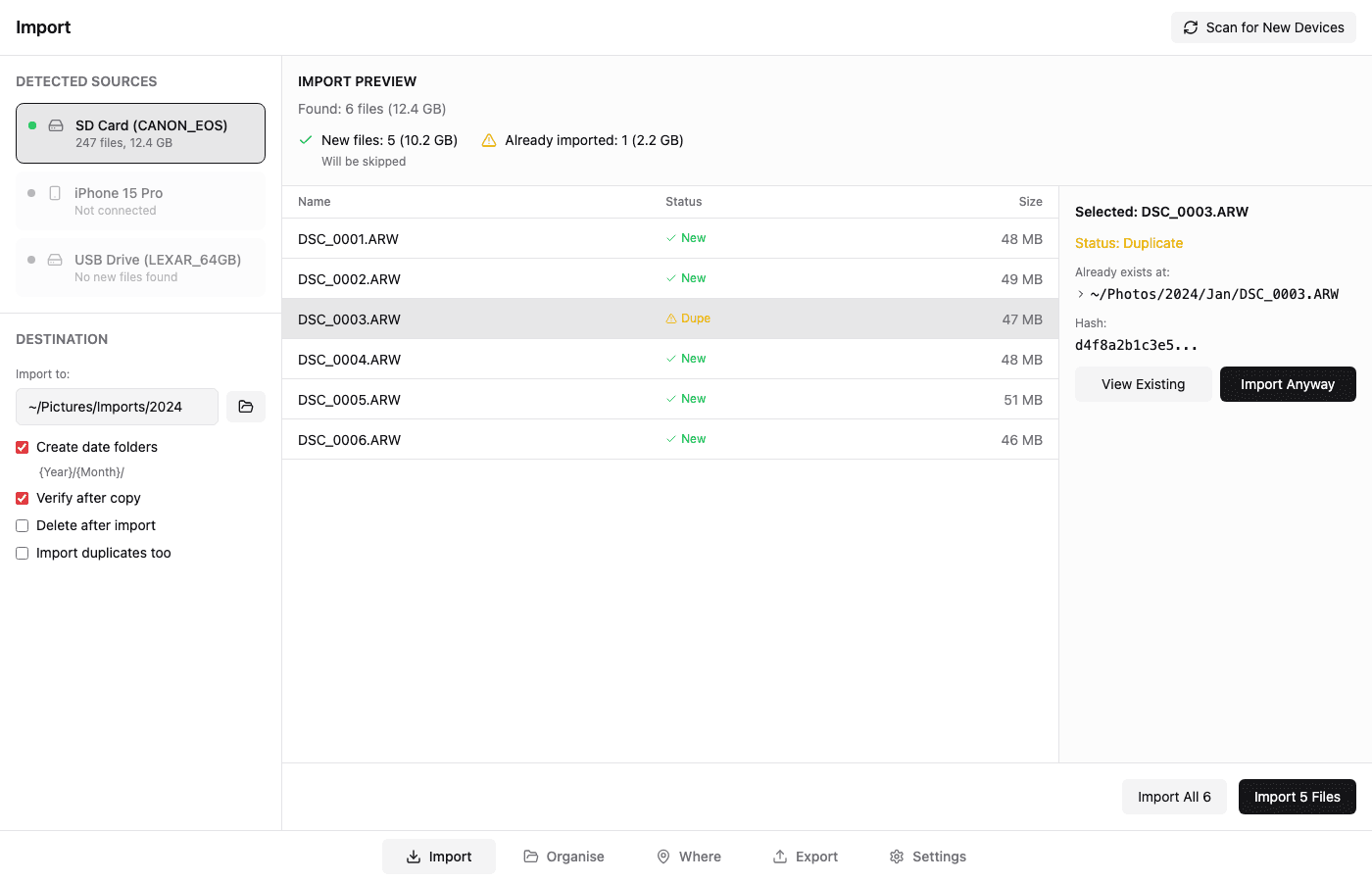
Connect your SD card or iPhone and see exactly what's new. Duplicates are detected instantly using content hashing — never import the same photo twice.
- Auto-detect cameras and storage devices
- Verified copy with checksum validation
- Organize into date folders automatically
See where everything lives
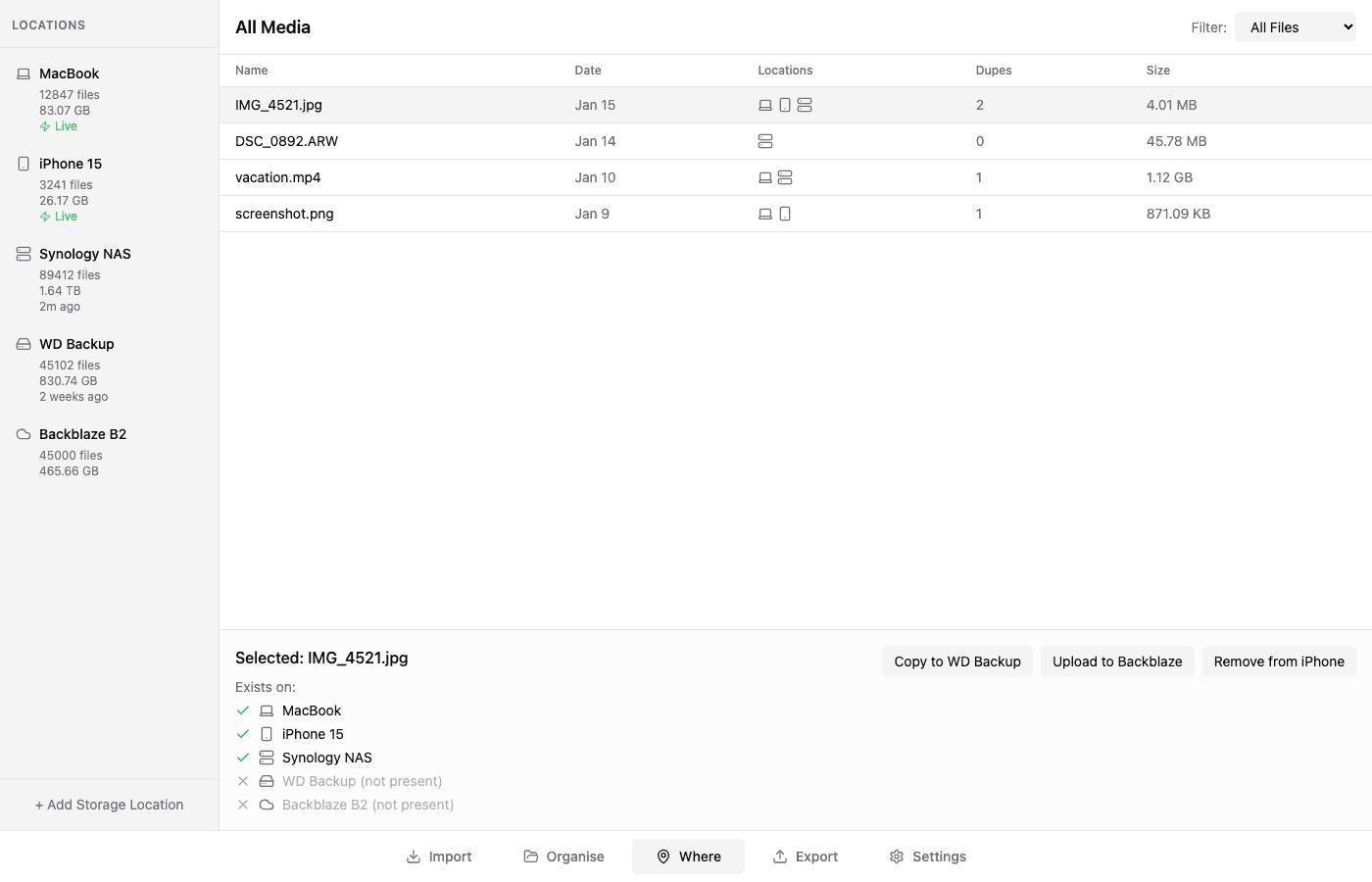
One view across all your storage. MacBook, iPhone, Synology NAS, external drives, cloud backup — know exactly where each file exists and where it's missing.
- One-click copy to any location
- Remove from device after backup confirmed
- Track offline storage (shows "Last seen")
Works with everything
Connect all your storage locations and services. Local drives, network storage, and cloud services.
Ready to take control
of your media?
Free and open source. No account required. Your files stay on your devices.